FedEx Trip Buddy: How It Works, Who Uses It, and What Drivers Should Know

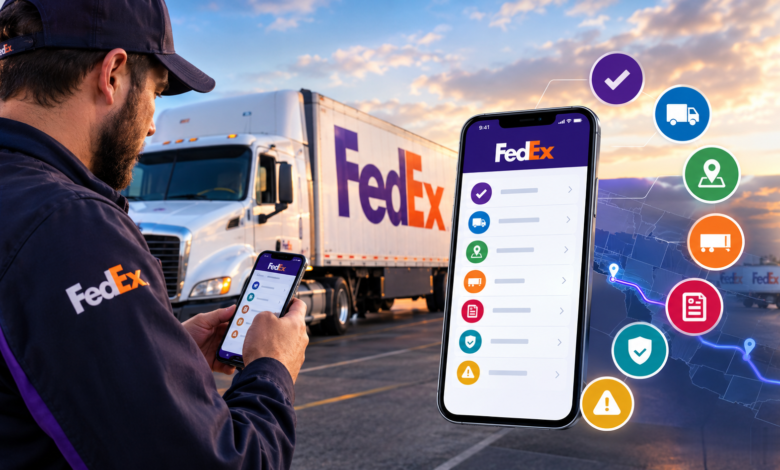
Public information about FedEx Trip Buddy is limited because the system is primarily intended for people working within the FedEx transportation network. While many websites describe additional features, not every claim can be verified through official public documentation. Therefore, it is useful to distinguish between information supported by driver experiences and details that remain unconfirmed.
What Is FedEx Trip Buddy?
FedEx Trip Buddy appears to be an operational trip-management system used in FedEx Ground linehaul operations. Linehaul transportation involves moving trailers and freight between facilities rather than delivering individual packages directly to residential customers.
Public driver discussions have referenced functions such as beginning check-in, completing inspection and checkout procedures, reviewing and starting a trip, checking trip and routing information, recording arrival, and beginning another check-in.
This makes FedEx Trip Buddy different from the regular FedEx package-tracking service. Customers generally do not need this system to follow their shipments.
Background of FedEx Trip Buddy
There is no comprehensive public history explaining exactly when FedEx Trip Buddy was developed, who created it, or when it was officially launched. FedEx has not publicly documented every stage of the system’s development in the same way it documents many customer-facing services.
However, public discussions indicate that FedEx Trip Buddy was already being used by linehaul drivers by the early 2020s. A February 2023 Reddit discussion mentioned the Trip Buddy application and described accessing linehaul functions through FedEx credentials. Other transportation-related discussions have also referred to drivers using the system during FedEx Ground linehaul work.
These references demonstrate its practical use but do not establish a precise launch date.
Why FedEx Trip Buddy Is Used
Linehaul transportation requires coordination between drivers, equipment, dispatch operations, and different facilities. A digital system can help organize the different stages of a trip in one workflow.
FedEx Trip Buddy appears to help users manage activities connected with assigned trips. These can include confirming equipment, checking in, reviewing trip information, handling dispatch procedures, viewing routing details, and recording arrival.
The exact internal processes and data connections remain largely unavailable to the general public. Therefore, claims about its complete technical architecture should be treated cautiously.
How FedEx Trip Buddy Works
Public driver experiences provide the clearest picture of how FedEx Trip Buddy is used. A driver may receive information about a truck, load destination, and dispatch time before preparing for the trip.
The driver can then complete required pre-trip activities, locate the appropriate equipment, connect the trailer, enter relevant information, and proceed with dispatch procedures.
Reported options associated with FedEx Trip Buddy include check-in, inspection and checkout, trip review, trip start, routing information, and arrival. This suggests that the system follows a structured transportation workflow rather than acting only as a navigation application.
FedEx Trip Buddy and Linehaul Transportation
Understanding linehaul operations is important when discussing FedEx Trip Buddy. Linehaul drivers generally transport freight between facilities within a larger logistics network. Large trailers can carry significant quantities of packages between hubs, terminals, and stations.
Public references consistently associate FedEx Trip Buddy with this environment. Drivers have discussed trailers, dispatches, equipment, mileage, and other transportation-related information in connection with the platform.
Some online articles describe the system as a last-mile delivery application, but stronger public evidence points toward its role in Ground linehaul operations.
Check-In and Dispatch
Check-in and dispatch appear to be important parts of FedEx Trip Buddy. Public driver reports have referred to functions for beginning check-in, inspection, checkout, and starting a trip.
In practical terms, a linehaul workflow may require a driver to confirm assigned equipment, complete required checks, verify trip information, and proceed with departure. Having these steps within a digital workflow can help create consistent records.
However, specific validation requirements and internal approval processes are not publicly documented in full. Authorized drivers should always follow current instructions from FedEx or their transportation contractor.
Routing and Trip Information
FedEx Trip Buddy has also been associated with trip and routing information. Reported workflows include options for reviewing a trip and viewing its routing details.
This does not necessarily mean that FedEx Trip Buddy should be described as a complete GPS navigation system. Some websites claim that it offers advanced traffic optimization, artificial intelligence, automatic route changes, and other sophisticated capabilities, but these claims are not sufficiently supported by reliable public documentation.
A safer description is that the system provides operational trip and routing information relevant to linehaul transportation.
Trailer and Equipment Information
Equipment is an important part of linehaul work. Drivers need to identify the correct tractor and trailer, perform required checks, connect equipment, and confirm information before departure.
Public driver accounts describe using FedEx Trip Buddy during this process. One driver description includes locating equipment, connecting the trailer, entering information into the system, and then proceeding with dispatch.
This indicates that FedEx Trip Buddy connects digital trip records with physical transportation equipment. The exact list of equipment fields and requirements can vary and is not fully available through public sources.
FedEx Trip Buddy Login and Access
FedEx Trip Buddy is not designed as an unrestricted public application. People searching for a FedEx Trip Buddy login may find limited official instructions because access is associated with authorized operational users.
A 2023 public user report described signing in through a Purple ID and selecting an “FXG-LHL-Execute Trip” function. This provides historical evidence of how some users accessed the system, although login procedures can change.
Users should obtain current login instructions directly from FedEx, their contractor, or their employer. Credentials should never be entered into suspicious third-party websites.
Common Problems With FedEx Trip Buddy
Like other workplace systems, FedEx Trip Buddy can experience technical problems. Public reports have mentioned situations where users could authenticate but then encountered a blank or incomplete screen.
One public discussion described a driver reaching the relevant linehaul page but seeing a white screen instead of the expected controls. The user reportedly attempted basic troubleshooting, including restarting the device and signing in again.
Such reports should not be considered official technical instructions. Drivers experiencing problems should use their employer’s approved support procedures.
Is FedEx Trip Buddy a Public App?
FedEx Trip Buddy should not be confused with consumer FedEx applications. Customers looking for shipment tracking, shipping services, or delivery information should use official FedEx customer-facing services.
Public reports indicate that drivers have accessed FedEx Trip Buddy through mobile devices and FedEx linehaul tools. However, it is not clearly established from public FedEx documentation that there is a standalone public iPhone or Android application available for unrestricted download.
Claims about third-party downloads should therefore be treated carefully.
Privacy and Security
Security is particularly important when using FedEx Trip Buddy because authorized accounts may provide access to operational information.
Users should only enter credentials through verified FedEx or employer-provided systems. They should avoid websites that request passwords while claiming to provide FedEx Trip Buddy login assistance.
Trip details, equipment information, screenshots, and internal operational information should also be handled according to company policies. Users should never share passwords or authentication information with strangers.
What Is Confirmed About FedEx Trip Buddy?
The strongest available evidence supports describing FedEx Trip Buddy as a specialized system associated with FedEx Ground linehaul operations. Reported functions include check-in, equipment-related activities, dispatch, trip review, routing information, and arrival procedures.
Other claims are less certain. Its exact launch date, development team, technical architecture, complete feature list, artificial-intelligence capabilities, advanced traffic optimization, and precise GPS functionality are not publicly confirmed.
This distinction is important because online articles sometimes repeat unsupported features.
Why Information About FedEx Trip Buddy Can Be Confusing
The limited amount of official public documentation surrounding FedEx Trip Buddy has created room for conflicting descriptions. Some websites appear to fill information gaps with generic explanations of delivery technology.
As a result, readers may encounter claims that FedEx Trip Buddy manages residential delivery stops, provides advanced AI route optimization, or functions as a customer tracking platform. These descriptions should not automatically be accepted without reliable evidence.
Driver reports provide a more specific picture focused on Ground linehaul trip execution.
Conclusion
FedEx Trip Buddy is best understood as an operational digital tool associated with FedEx Ground linehaul transportation. It appears to support several stages of a driver’s trip, including check-in, equipment handling, dispatch, trip review, routing information, and arrival.
The platform is not primarily a customer package-tracking service, and public information about its complete technical features remains limited. Authorized drivers should rely on current FedEx or contractor instructions for login, troubleshooting, and daily operating procedures.
Frequently Asked Questions
What is FedEx Trip Buddy?
FedEx Trip Buddy is a digital trip-management system associated with FedEx Ground linehaul operations. It supports operational activities such as check-in, equipment procedures, dispatch, routing information, trip review, and arrival.
Who can use FedEx Trip Buddy?
FedEx Trip Buddy is intended for authorized users involved in relevant FedEx Ground linehaul operations, including drivers working through transportation contractors. It is not intended as a general public service.
Is FedEx Trip Buddy used for package tracking?
No. FedEx Trip Buddy is associated with linehaul transportation rather than ordinary customer package tracking. Customers should use official FedEx tracking services for shipment information.
Does FedEx Trip Buddy have a mobile app?
Public reports indicate that FedEx Trip Buddy has been accessed using mobile devices, but its current distribution method and whether it is a standalone native application are not clearly documented publicly.
What should I do if FedEx Trip Buddy is not working?
If FedEx Trip Buddy is not working, authorized drivers should follow their employer’s current technical-support process. They should avoid giving passwords or account details to unofficial websites or individuals.